 Robolab
Can the student explain what the sensor read and why the code chose that action?
From making it move to understanding why.
Robolab is a learning platform for upper-primary and middle-school students who are new to robotics and coding. Students build, code and experiment in a virtual robotics lab, revisit their process, and extend the same rules to a physical robot.
WHY ROBOLAB?
Learning robotics for the first time comes with a lot to manage.
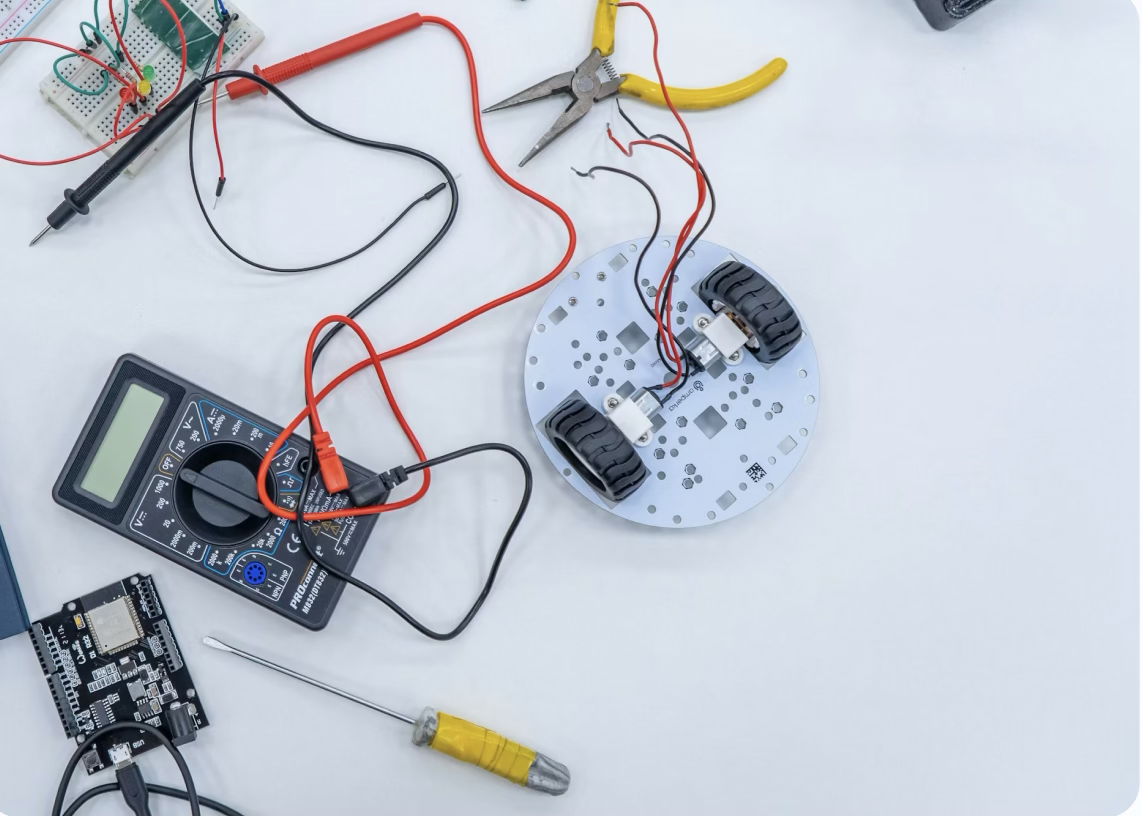
A physical robotics kit asks beginners to assemble parts, wire components, connect a device and code at the same time. When it does not move, it can be hard to tell whether the code or the connection caused the problem.
Following a video or manual can produce a finished robot without showing what the sensor read or how the code made its decision.
Students do not need to get everything right at once.
In Robolab's virtual lab, students assemble one part at a time, test a sensor and change the rule before running it again. They can reconnect a part or revise a condition immediately when the result differs from their prediction.
Students can practise fully without a physical kit, then test the same rule on a real robot when they are ready.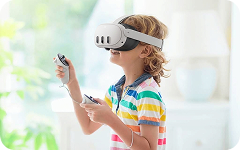
WHY ROBOLAB
The robot can move while the student's understanding stays hidden.
A completed robot and a progress score cannot show whether a student understands the sensor and condition, or submitted code that happened to work.
Where did the student become stuck, and which question changed their thinking?
Beyond the finished robot, what did the student learn and how did they grow?
MIXED REALITY LAB
Open your own robotics lab wherever you are.
Through the headset, students still see the room around them. A virtual robot, smart farm, assembly bench and coding board appear within that space.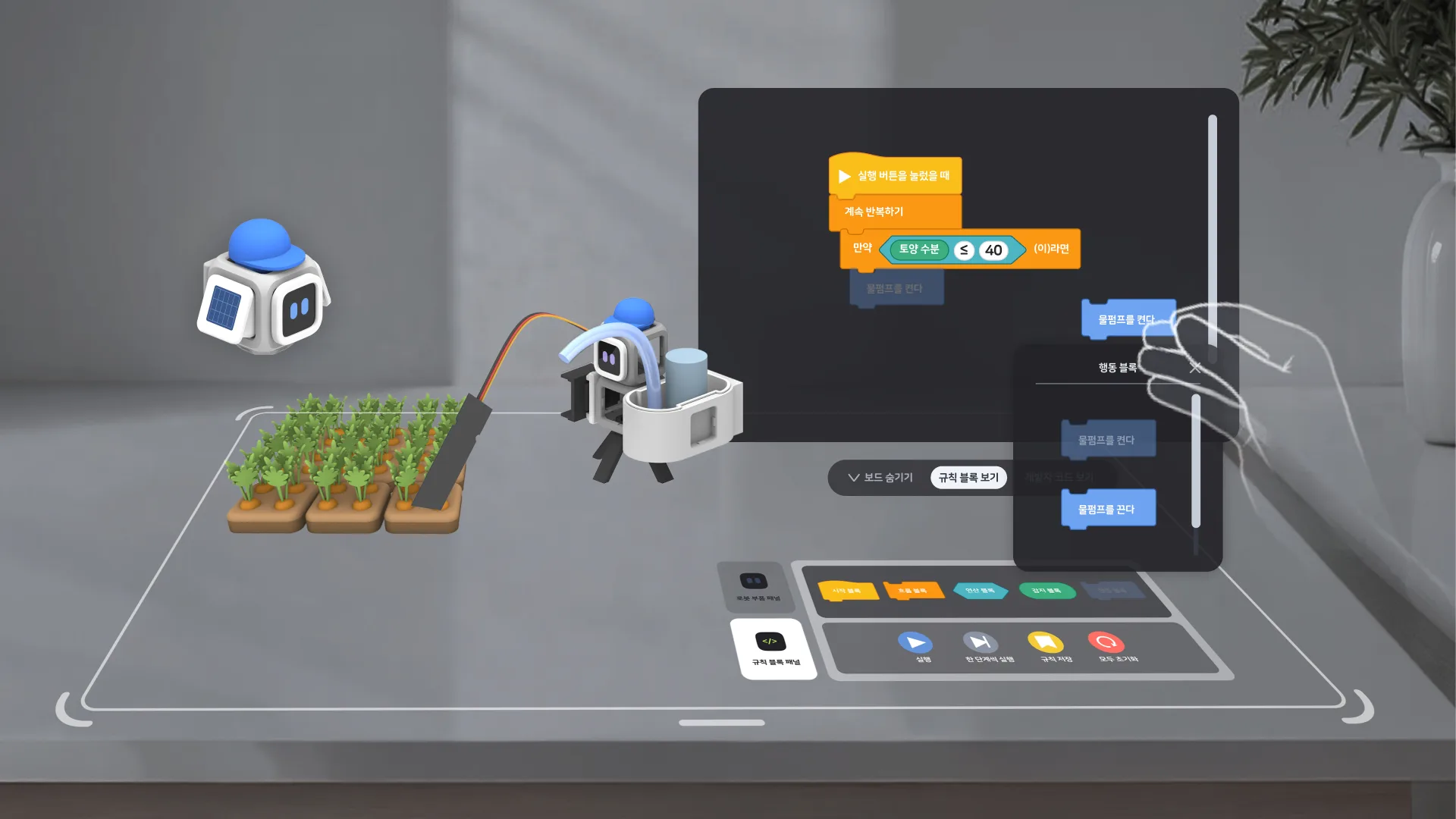
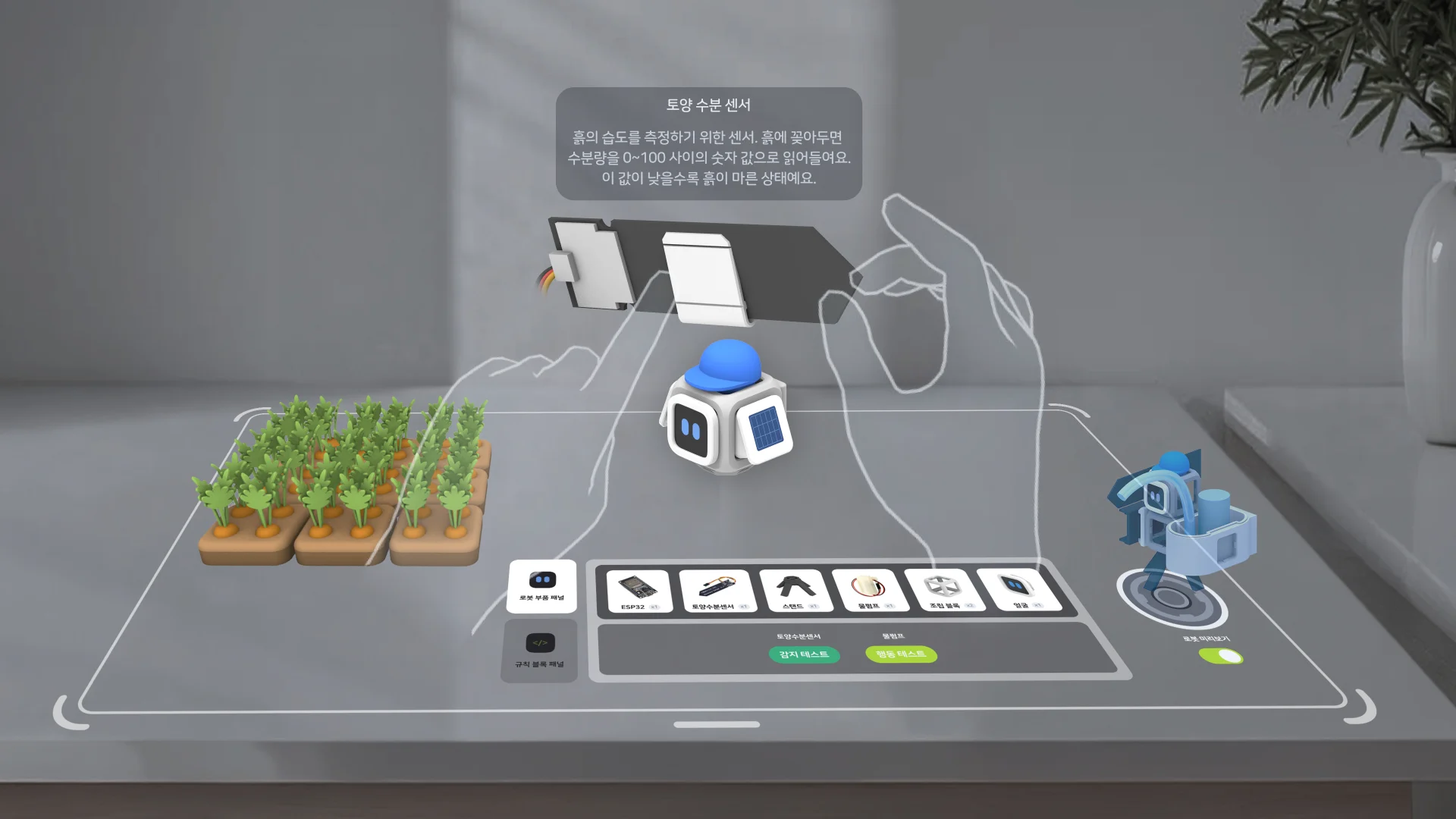
Students place the lab where they want, pick up parts with their hands and build directly. Showing virtual objects and information within the physical world is called MR: Mixed Reality.
Touch the robot and see what is happening inside it.
Robolab shows the sensor reading, the condition being checked and the robot’s action side by side. Students can follow the whole process without switching between a robot and a separate coding screen.
Sensor valueSoil moisture 30%
→Condition30 < 40
→Robot actionPump ON
Try again whenever you need.
Students can rebuild, change a condition and rerun without worrying about damaging parts. A learner can experiment fully even without a physical kit.
MR does not replace a physical robot. It gives students space to understand and practise before they build one.
ONE CONTINUOUS EXPERIENCE
Learning does not end inside the screen.
Practise fully in the virtual lab.
Build a robot, test its sensors and try your own rules in different ways.
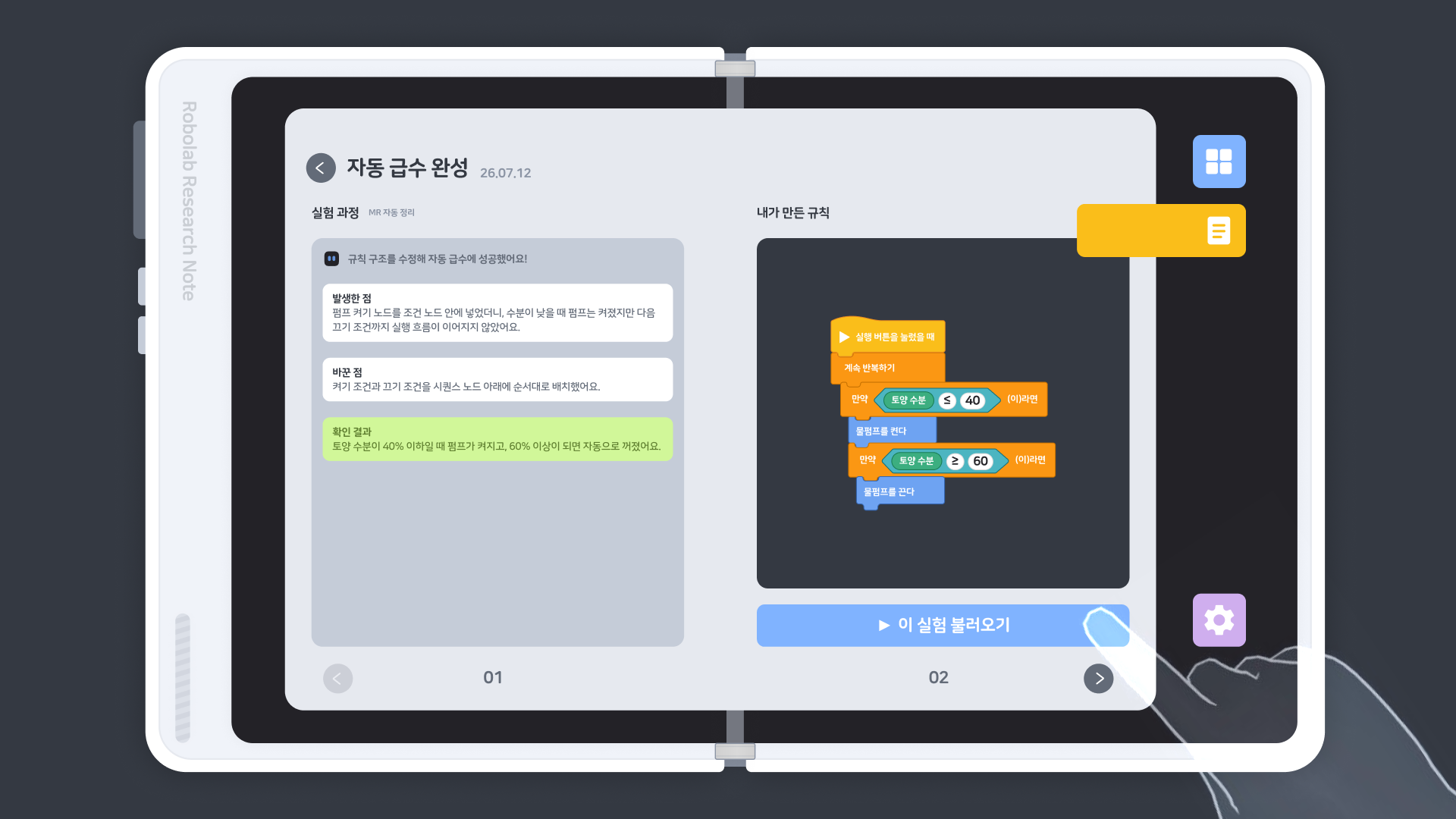
Revisit every experiment.
See what rule you made, what you changed and how the result became different.
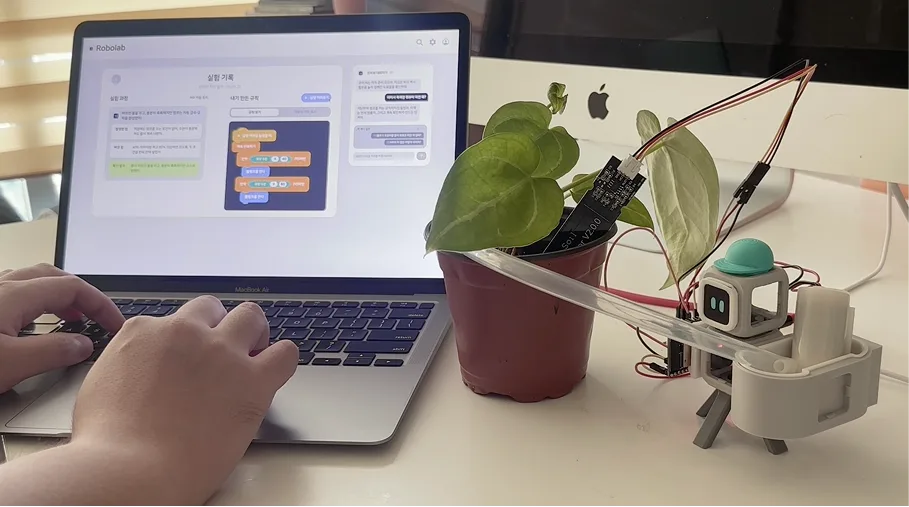
Finally, test it on a real robot.
Check whether the rule you understood works with a physical sensor and pump too.
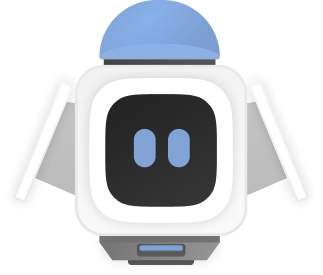
MEET COBI
When you get stuck, think it through with Cobi.
Cobi is an AI learning partner that understands the robot and rule a student is building, as well as what happened in the latest run.Cobi does not begin with the answer.
Questions help students observe, compare and reach an answer themselves. Hints become gradually more specific; if needed, Cobi can show the relevant part or block directly in the virtual space.

Chat with CobiTalk through what happened in the experiment
COBI
How is the moisture value changing?
STUDENT
It increased after the pump turned on.
COBI
Good. What value should we check to stop the pump?
Observe→Compare→Hint→Show it
AI LESSON MODE
AI does not code for you. You complete it yourself.
Students tell Cobi what they want the robot to do. Cobi helps clarify what to observe and which rule is needed—then the student builds the blocks and runs the result.AI helps the student break down the problem and code it
“I want to water the soil when it gets very dry.”
“I do not want the robot to water at night.”
01Describe the behaviour you want.
02Work out the conditions with Cobi.
03Build and run the rule yourself.
SIM · REAL · COMPARE
Compare the expected motion with the real one.
Use the rule tested in the virtual environment as a baseline for the real sensor. When the results differ, students investigate how the environment and sensor affected the robot.The same rule, a different result
Placing expected and real sensor changes side by side gives students specific evidence for explaining what happened in the physical world.
Expected sensor change→Real sensor change→Cause of the gap
Use Robolab as an MR learning experience on its own, or connect the optional physical robot kit.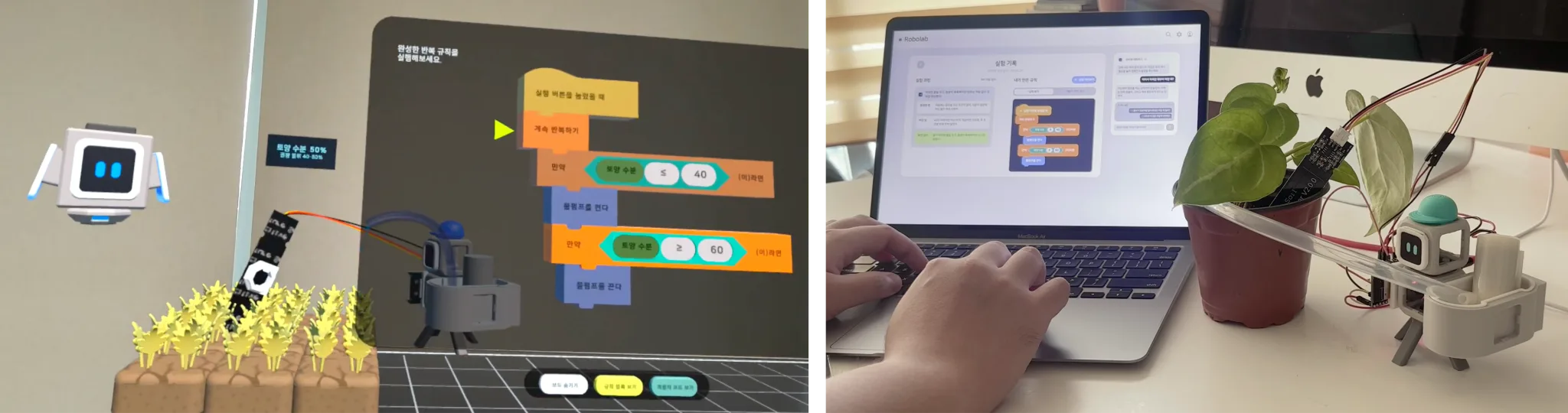
EXPERIMENT NOTE
Use the experiment note in MR. Revisit it on the web.
During an experiment, students can review what happened and which rule changed without leaving MR. After class, the same note opens on the web for a slower look at the evidence and code.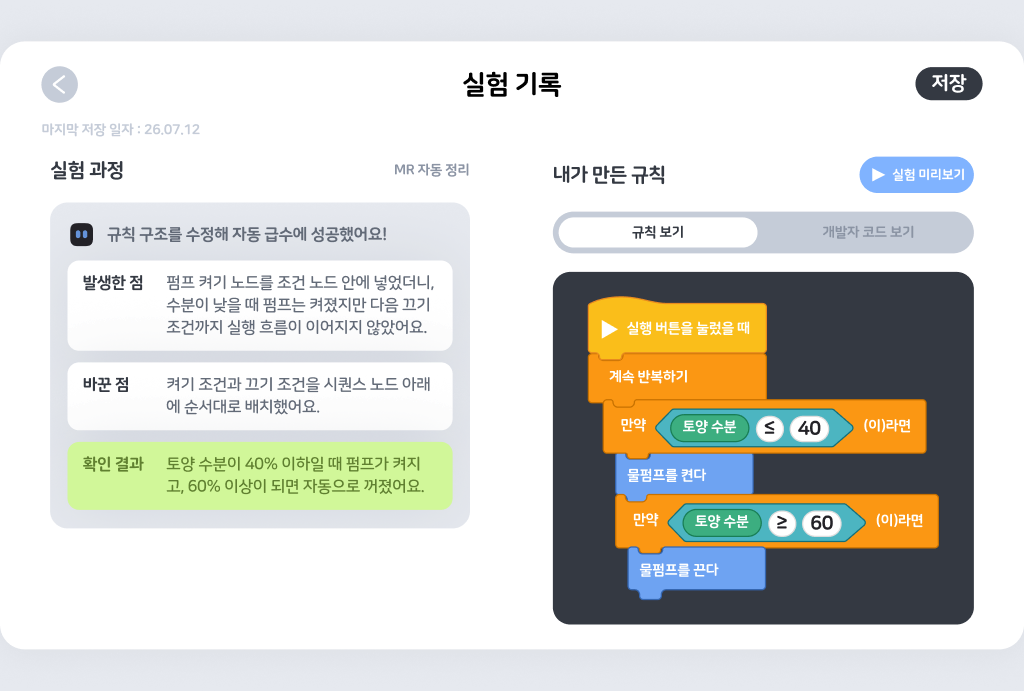
STUDENT LEARNING · TEACHER INSIGHT
The student's revisions become the teacher's next question.
Follow one watering-robot record from left to right. For Mina, it shows how she learned why the robot needs a loop. For her teacher, it shows what support should come next.Mina revises her rule after seeing each result.
EXPERIMENT RECORDKim Mina · Watering robot · Learning record
Water the soil when moisture is below 40%.
Moisture < 40 → Pump on
30% → 42% → 55% → 71% · Pump kept running
What should be checked again after the soil is wet enough?
Loop → Read moisture → Condition → Pump
Stop the pump when moisture passes the threshold
The record shows that Mina struggled with loops and then learned to check a changing value again after a question.
The teacher finds the next question in the same record.
The class overview identifies students who need attention. Their experiment record then shows the runs and revisions behind that need.
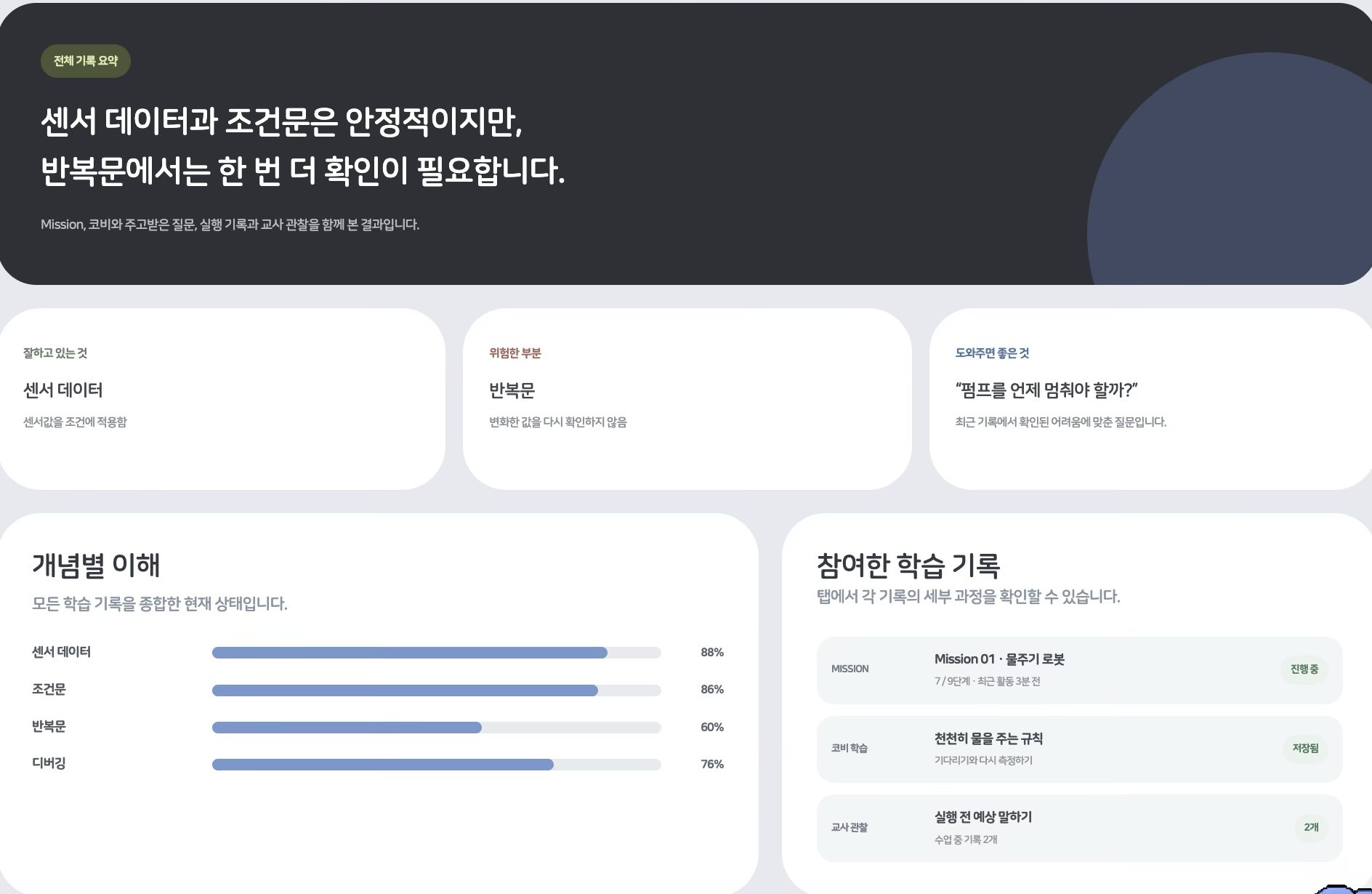
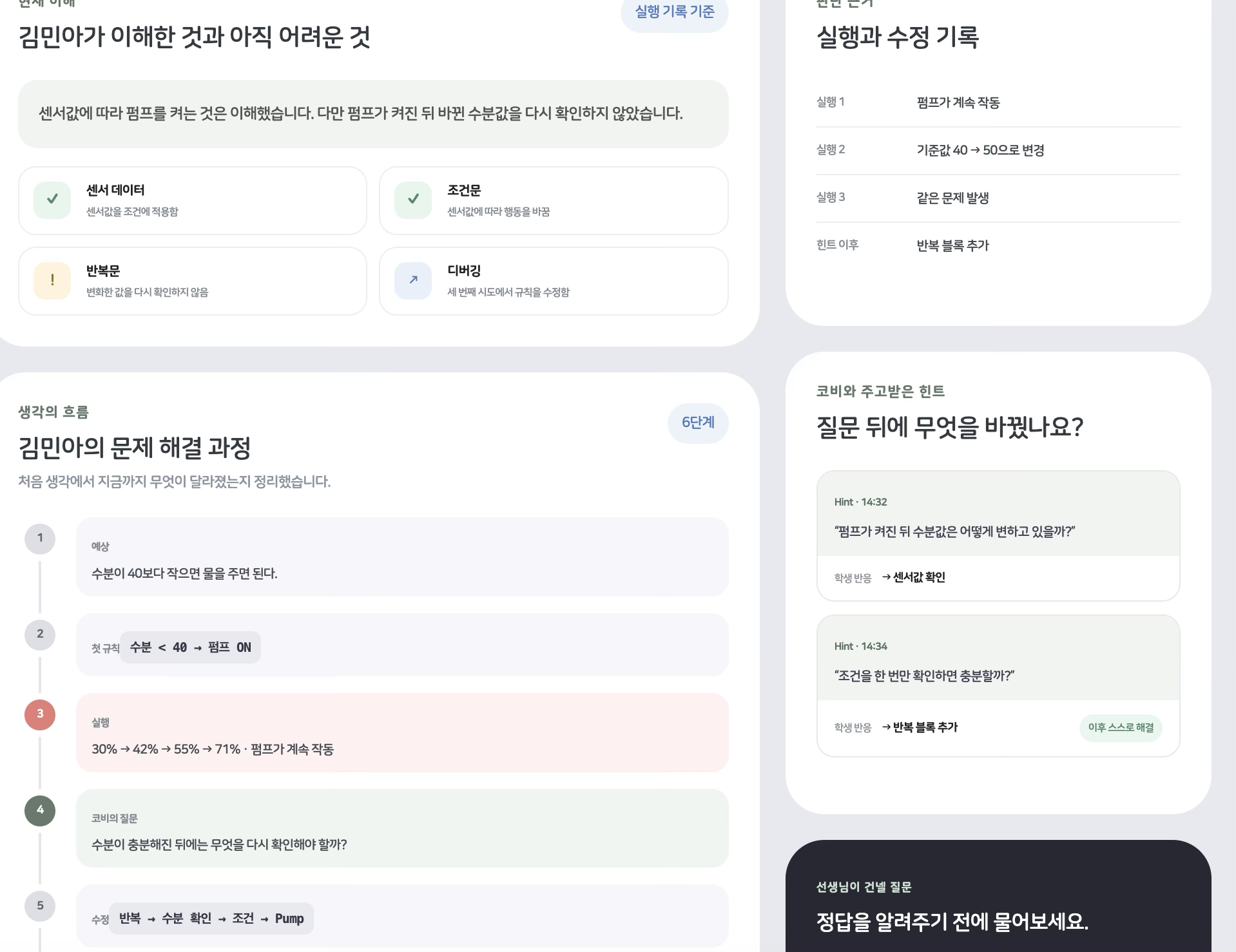
Progress shows where the class is. This record shows the support Mina needs now.
WHAT STUDENTS LEARN
Connect the ideas that make a robot move.
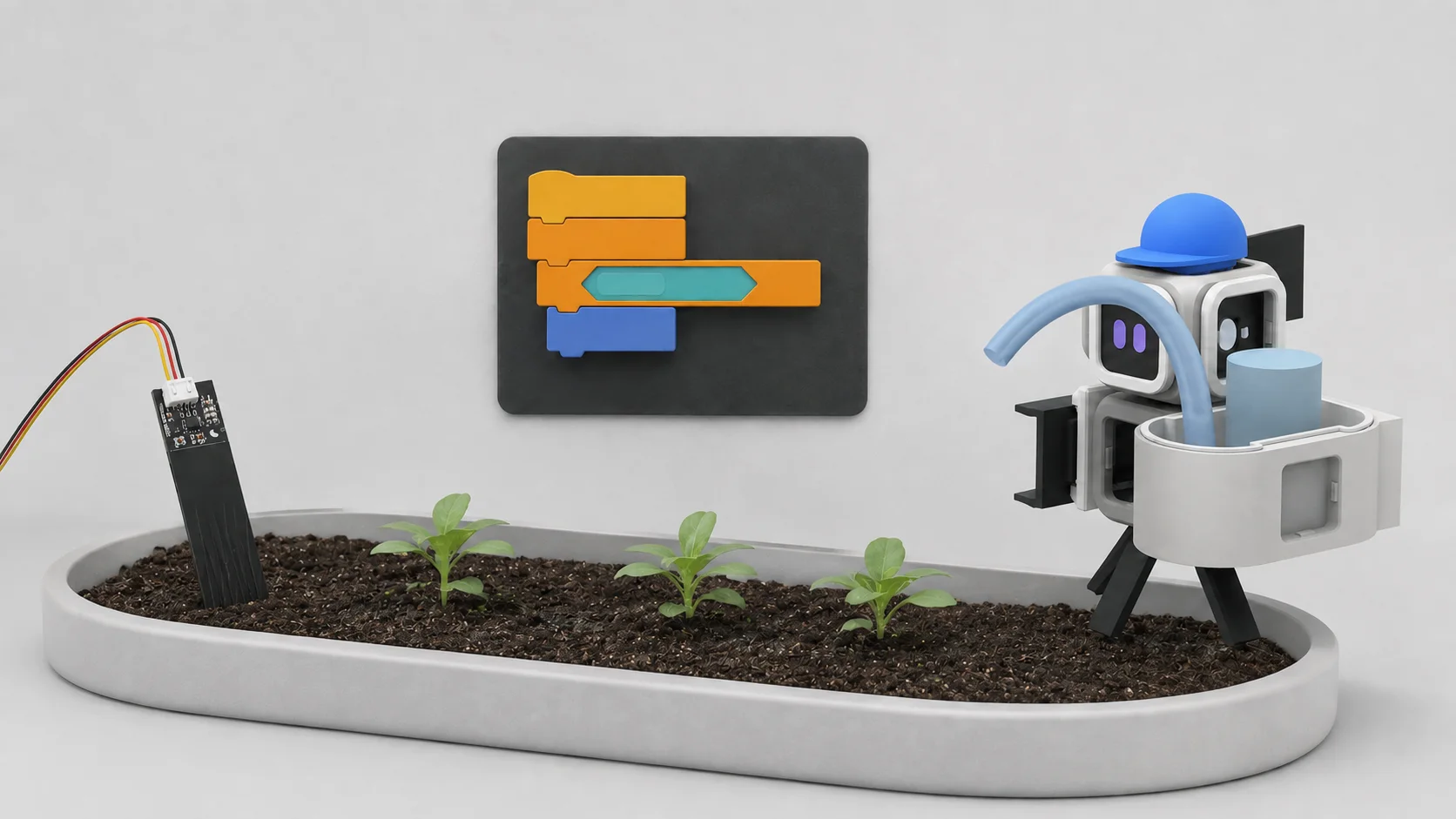
Sense
A sensor reads the environment.
Decide
Code checks a condition.
Act
The robot moves and responds.
Students design the full system: a sensor reads the world, code makes a decision, and the robot responds.
Sensors
Read values from the environment.
Conditions
Decide when the robot should move.
Loops
Keep checking as the environment changes.
Actuators
Use moving parts such as pumps and motors.
Debugging
Find and fix the cause of an unexpected result.
Code
Connect a block rule to real code.
CURRICULUM
The first lab is a smart farm.
Rather than solving isolated coding exercises, students build a smart farm. Each new problem calls for a new robot and a rule they create to solve it. Robolab is not limited to one topic. We continue to expand theme-based labs where students notice real-world problems around them and explore solutions through robotics.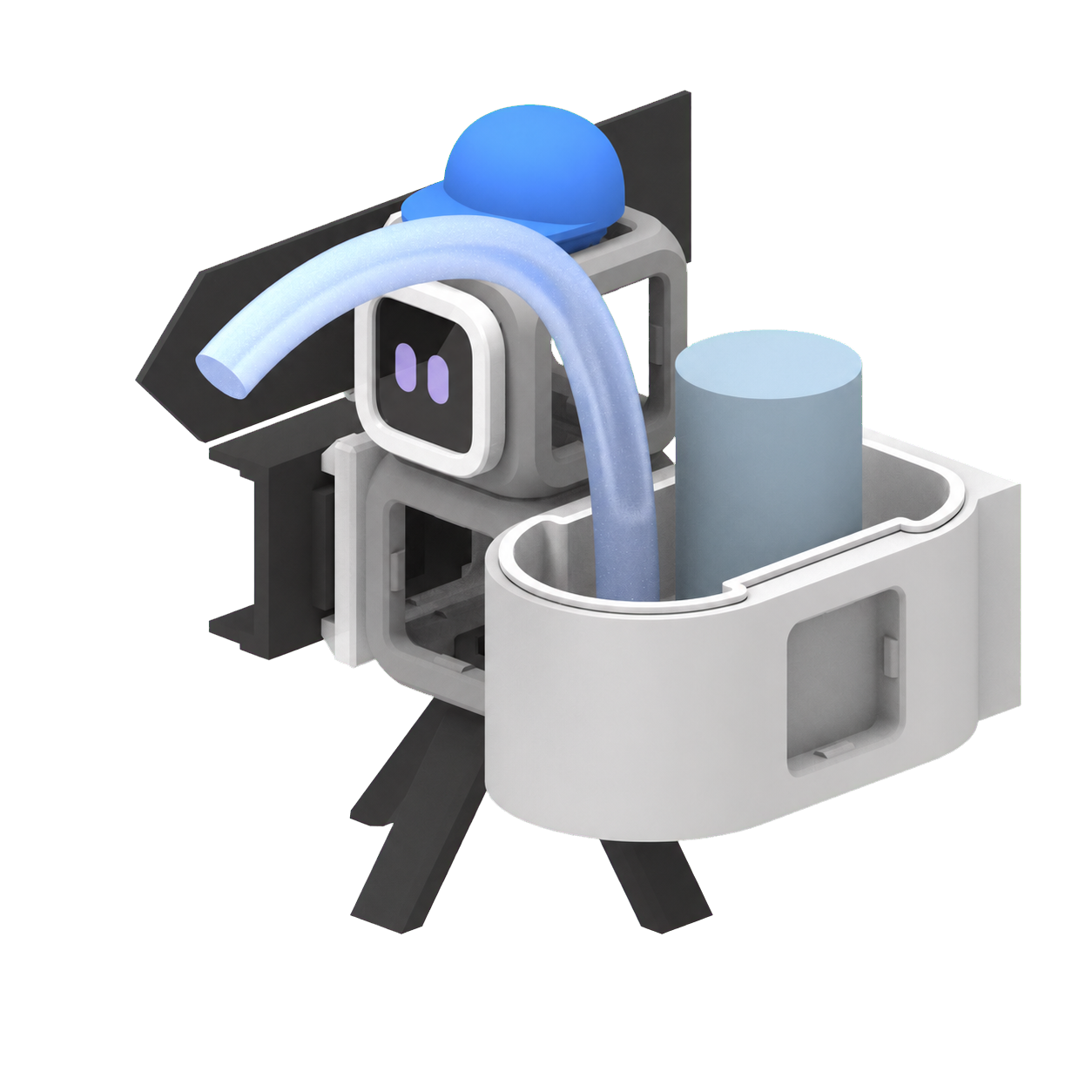
MISSION 01Available now
Watering robot
Water the soil automatically when it gets dry.Read soil moisture and use conditions and loops to control a pump.
Sensor · Condition · Loop · Pump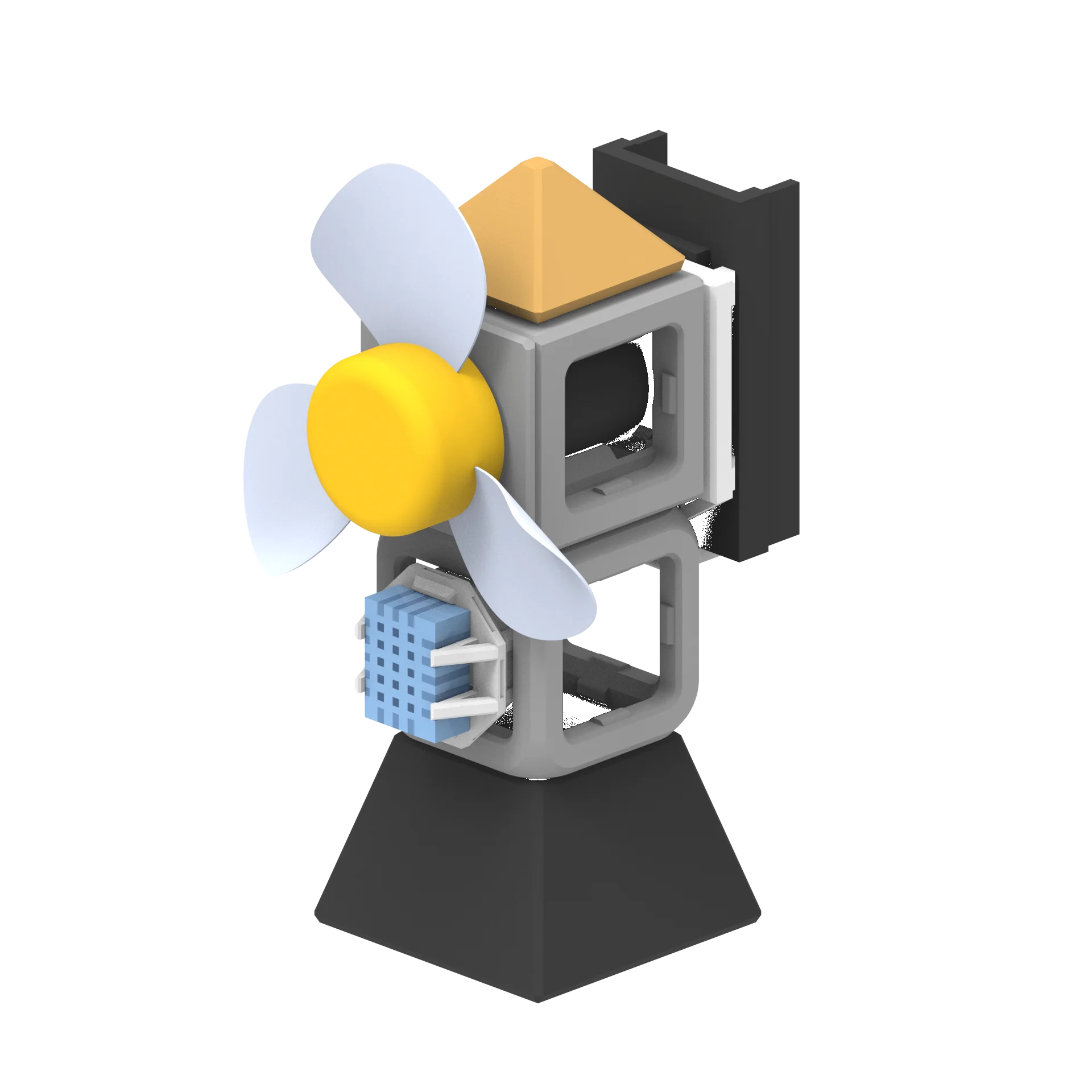
MISSION 02Coming next
Windmill robot
Help the farm check its own air.Read humidity and create a rule that runs a fan when needed.
Sensor · Data · Comparison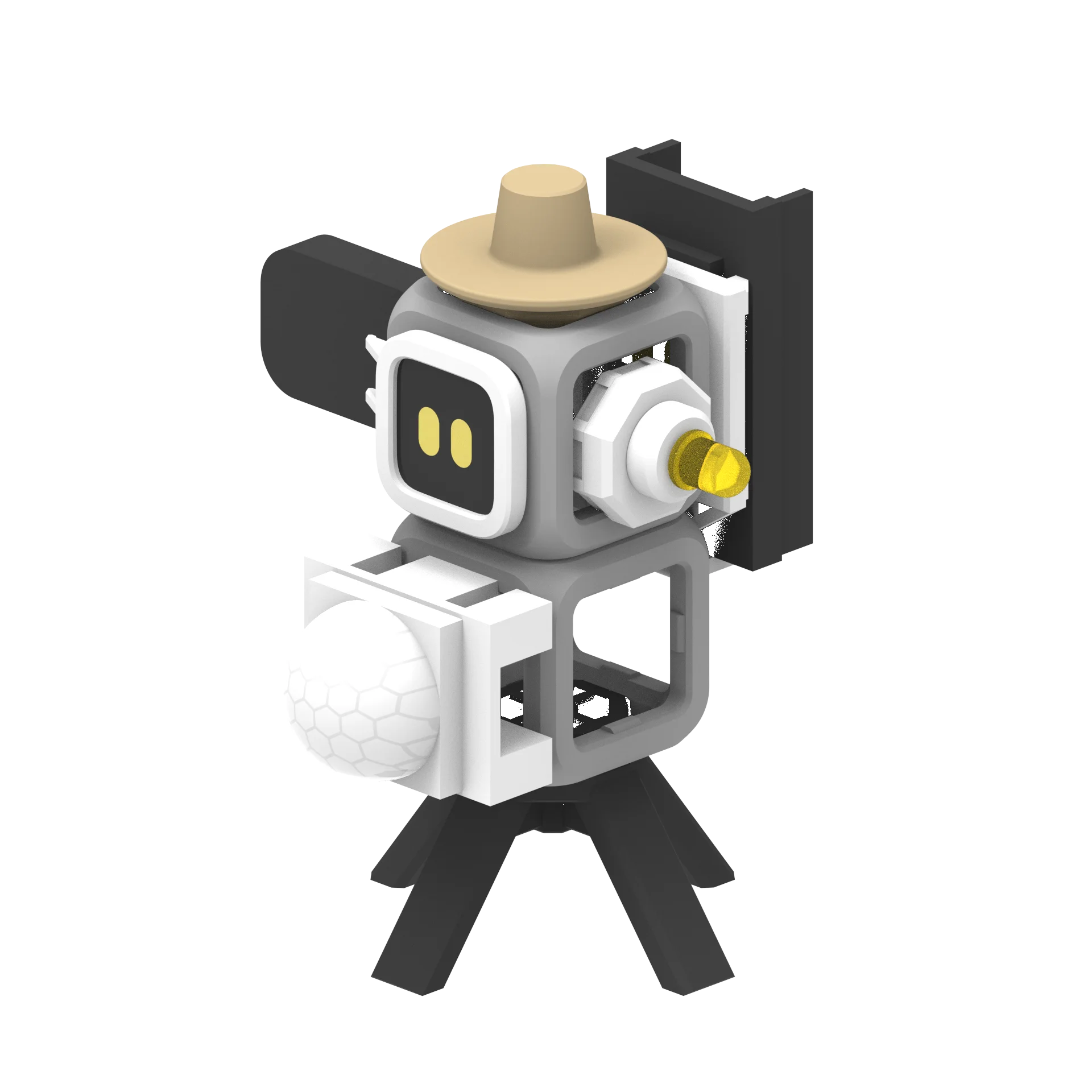
MISSION 03Coming next
Scarecrow robot
Respond when the crops need protection.Combine conditions and create a warning action for each state.
Multiple conditions · Decisions · Actions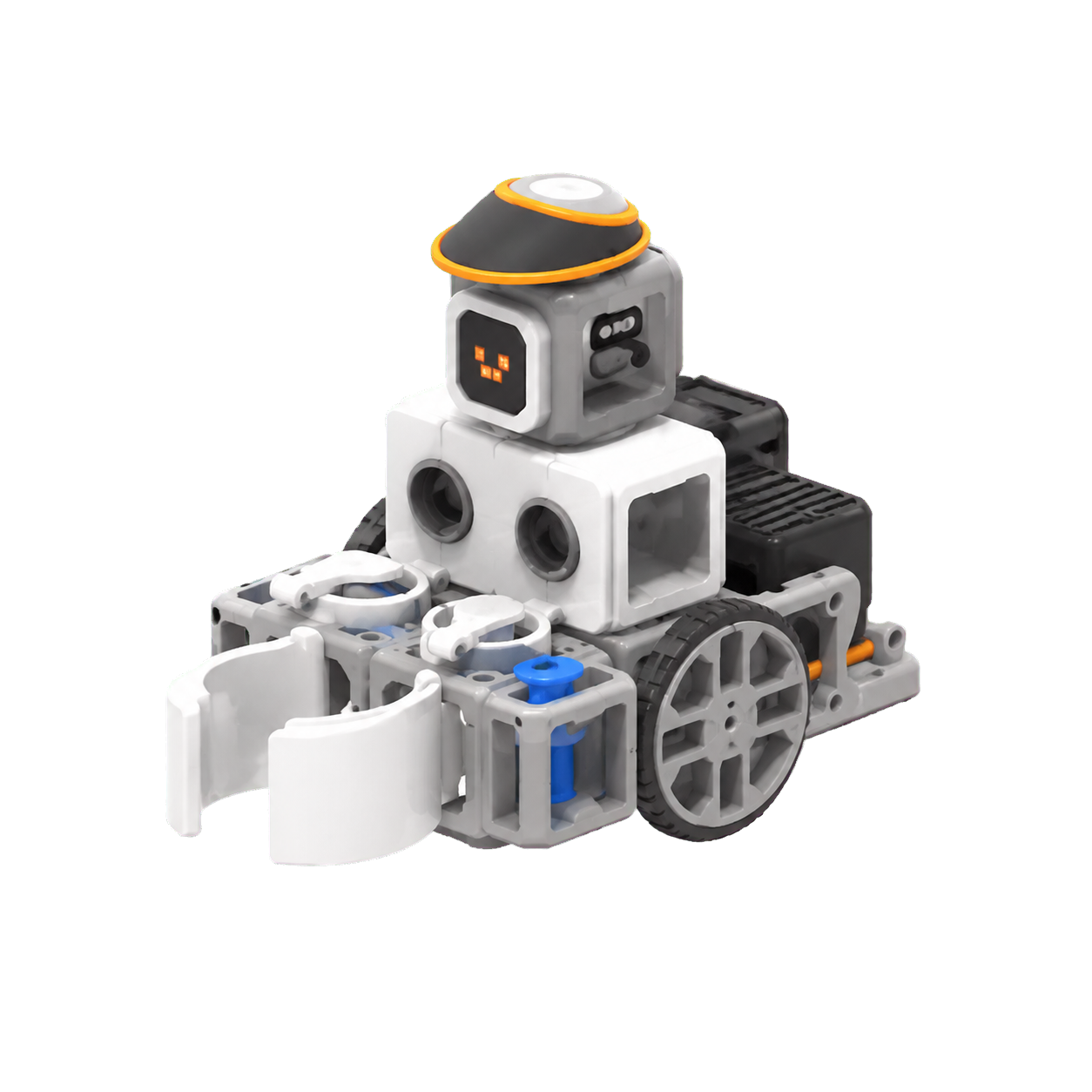
MISSION 04Coming next
Harvest robot
Use sensors and rules to support harvesting.Combine earlier ideas to automate part of the harvesting process.
Multiple sensors · Complex rules · Automation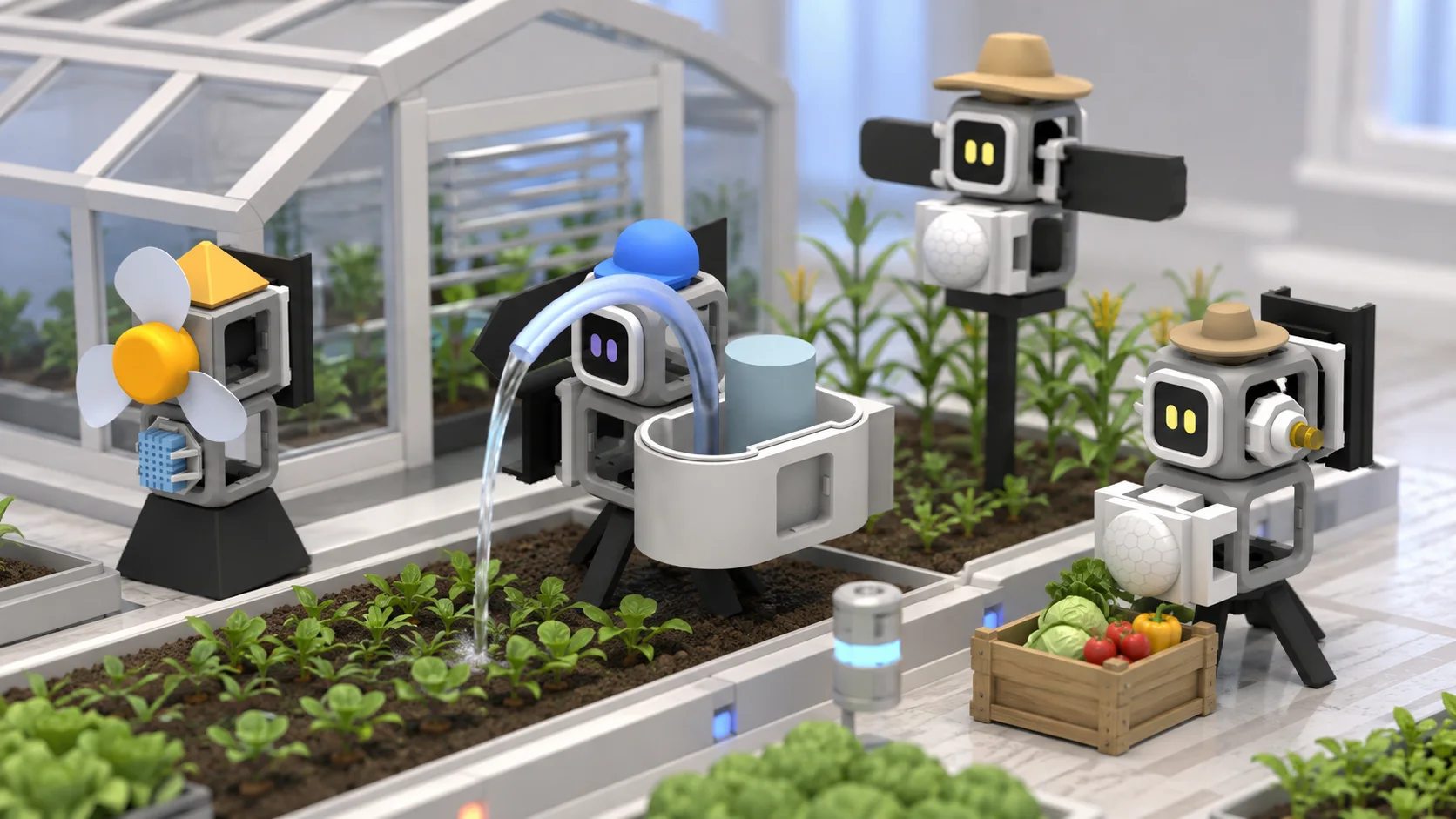
In the end, all the robots work together on the farm.
Students manage crops with robots and rules they created, then harvest what they grew.
Why might a farm use robots?Which human tasks could sensors support?How might farms change in the future?
It connects with what students learn at school.
Missions are designed with reference to computing, science and technology goals, including Korea’s 2022 revised national curriculum.
ComputingSequence · condition · loopScience & technologySensors and robot systemsProblem solvingPredict · run · reviseFuture & environmentSmart farms and automation
FOR EDUCATORS
The essentials belong in the product experience.
Privacy
Use only the learning records the experience needs and agree retention and deletion with the school.
AI transparency
Keep a record of the learning context Cobi used and the hints it provided.
Curriculum
Reference relevant computing, science and technology goals in Korea's 2022 revised curriculum.
Classroom use
Review a suitable operating model for the class size and available devices.
FAQ
Frequently asked questions
01What age is Robolab designed for?+
Robolab is designed primarily for upper-primary and middle-school learners. Difficulty can be adjusted to students’ experience and the school setting.
02Do students need coding experience?+
No. Students start with the roles of parts and the sense–decide–act flow, then build block rules step by step. The finished rule can also be viewed as C++ structure.
03Is a Meta Quest required?+
Meta Quest 3 is required for the full MR assembly and experiment experience. The web research journal and teacher demo work in a standard browser.
04Is a physical robot kit included?+
It can be. The physical kit is optional, so Robolab can be used as an MR learning experience on its own. If you want the hands-on extension, we can include the ESP32-based Robolab robot kits and suggest quantities for your class.
05Can Robolab be used in school?+
We are preparing Robolab for lessons, workshops and after-school programmes. Tell us your class size and available devices and we’ll explore a suitable format.
06How is student data handled?+
Learning records are separated by learner space and limited to what the experience needs. Before a school rollout, consent, access and deletion processes will be agreed with the school.
07Can I try Robolab now?+
Yes. Send a demo request below and we’ll suggest a suitable way to experience Robolab for your setting.
BOOK A DEMO
See how Robolab makes student thinking visible
Schools, learning organisations, teachers and parents are welcome. Tell us about your setting and we’ll suggest a suitable product demo.